How to enable Staple feature on the Model (SHARP UD3 PCL6) Printer
Print
Modified on: Mon, 8 Dec, 2025 at 12:27 PM
Instructions to enable the staple feature on the Sharp Printer
Step 1: Access the devices and printer menu
- Search printers & scanners in the windows search bar

- should look like this
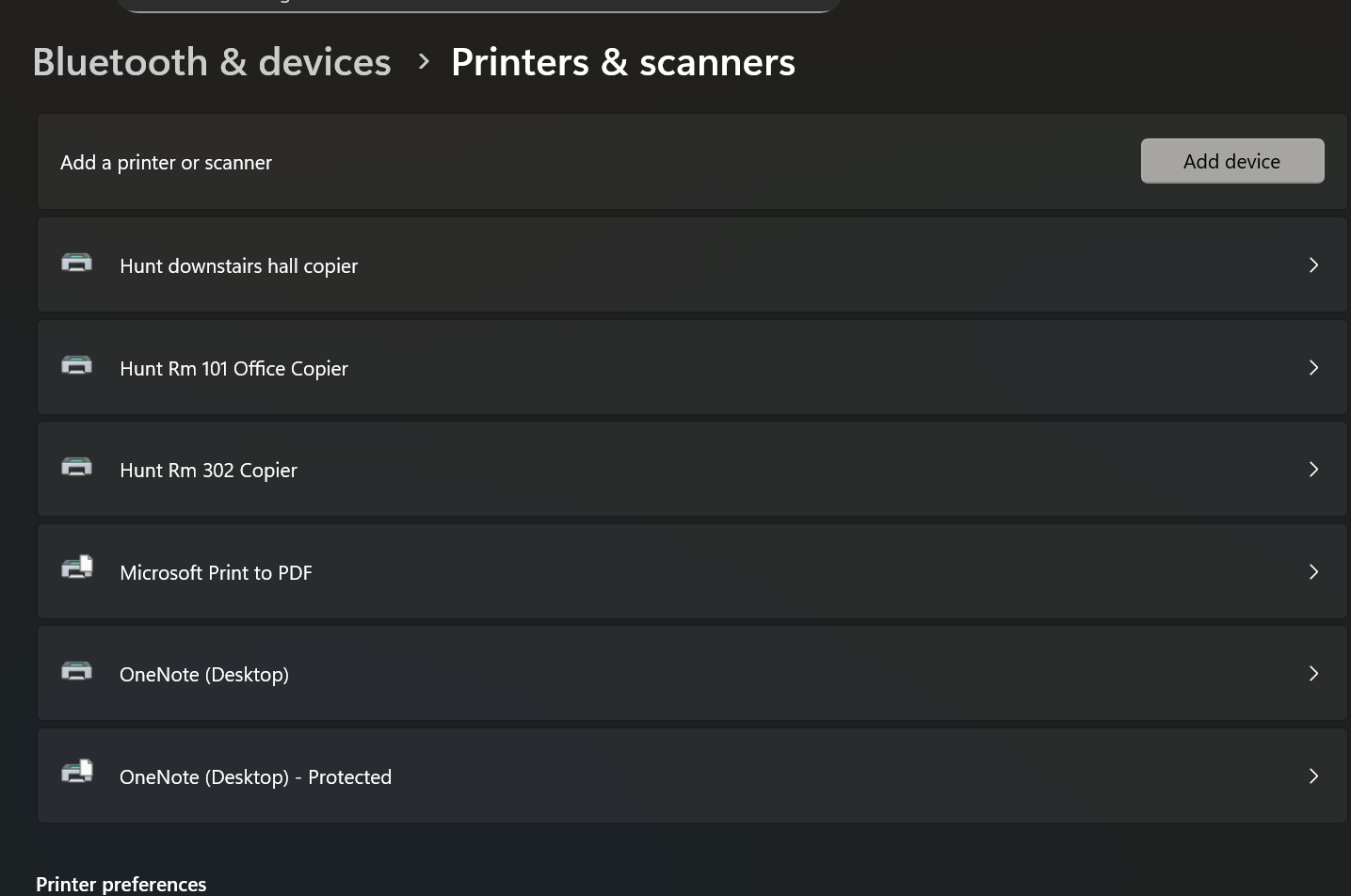
Step 2: select the printer properties on the one you wish to change
- Select your printer (302 in this example)
- Select printer properties
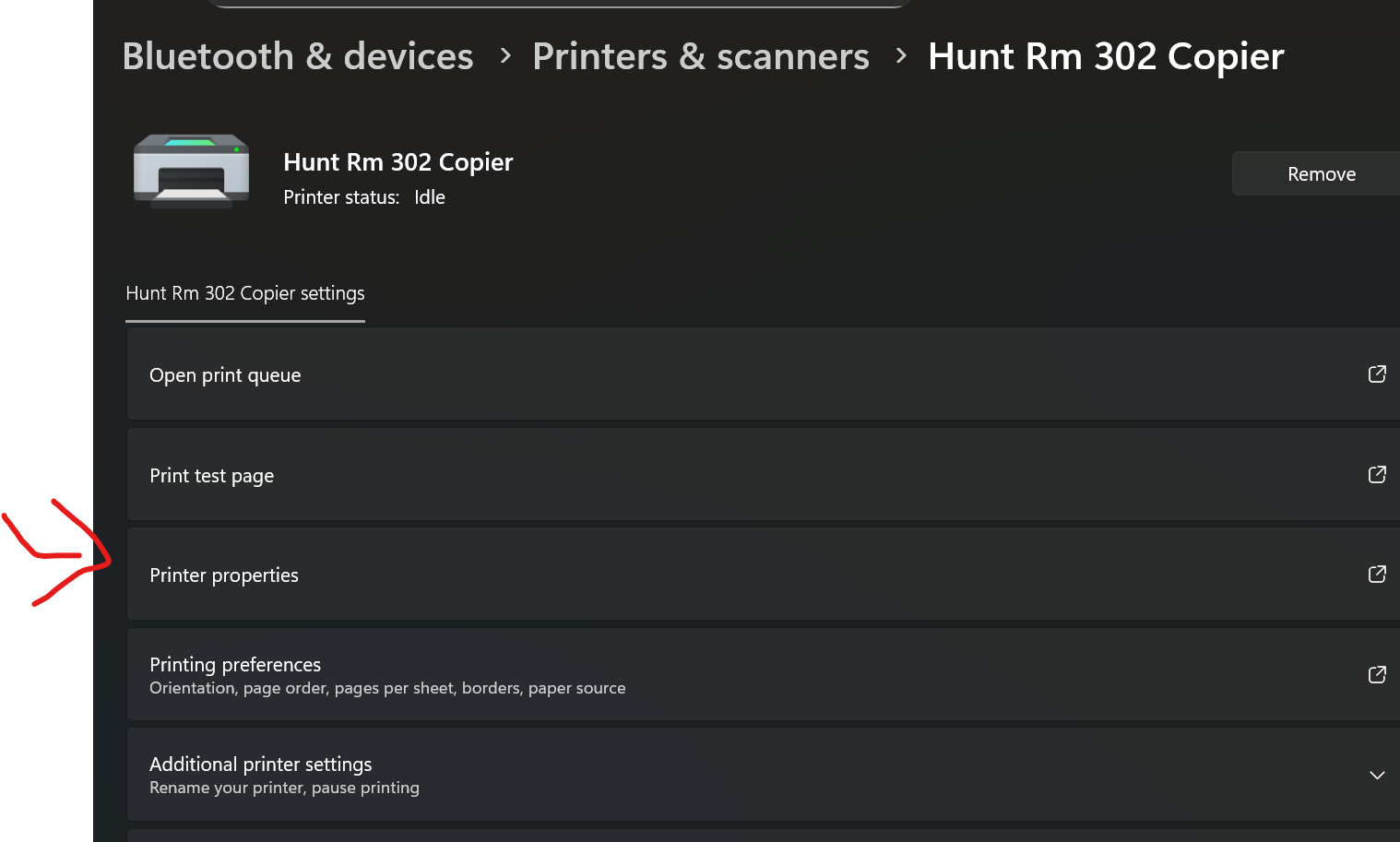
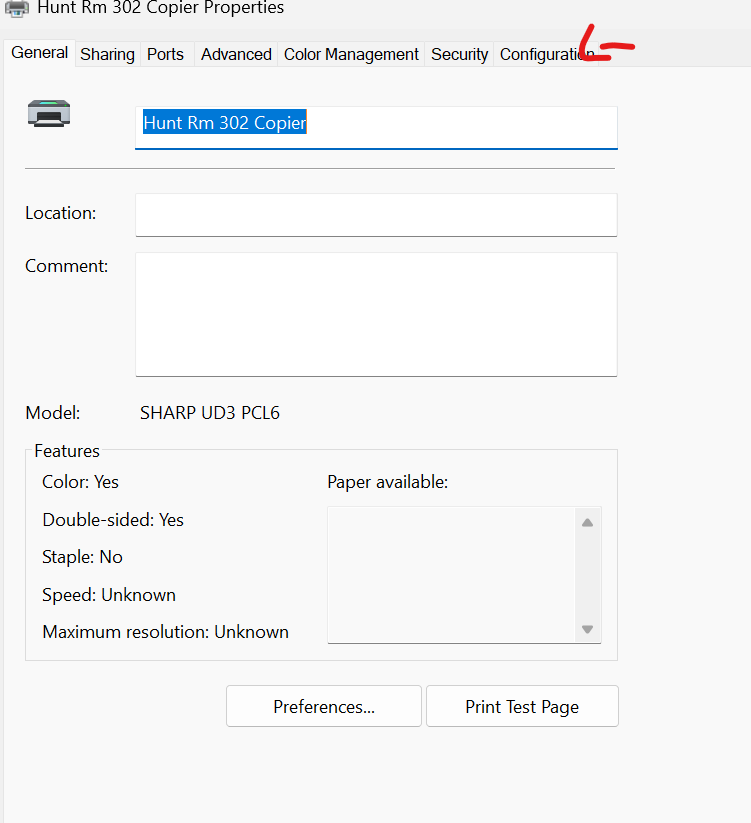
Step 3: change the configuration
- Select configuration
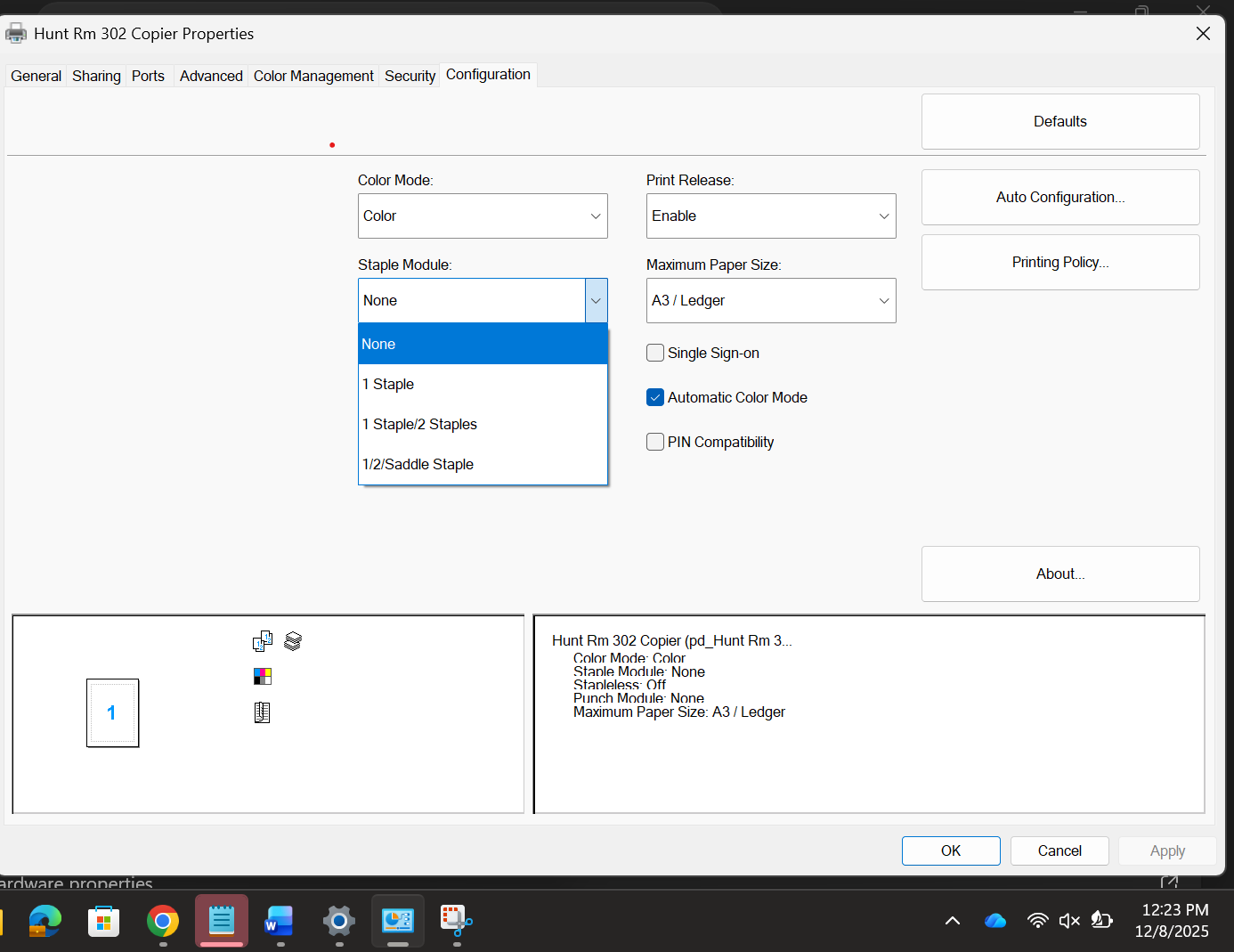
- Select the Staple module drop down and change it to your desired staple type
Did you find it helpful?
Yes
No
Send feedback Sorry we couldn't be helpful. Help us improve this article with your feedback.
