
The scanning process has changed slightly as PaperCut now incorporates Integrated scanning features.
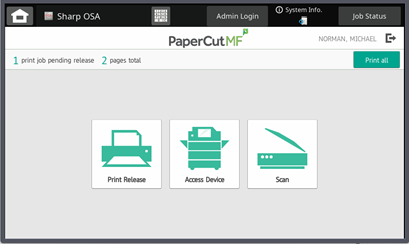
Badge into the copier then from the PaperCut Welcome Screen and select the Scan Icon.
This will bring you to the Scan Actions screen below.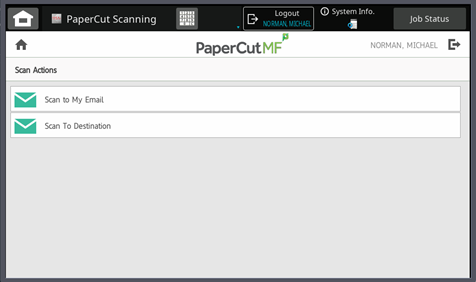
Scan to My Email is used to send an email directly to yourself. This will auto-populate the destination field with your email, and the email will be sent from you.
Scan To Destination will give you a similar screen but will have an Email To box that can be edited. By selecting this box, you can insert/type another email to send it directly.
** There is no longer an address list as PaperCut does not have integration at this time.