
Faxing
All office copiers have the ability to fax, and all employees have access to faxing documents. However, incoming faxes go only to designated staff.
If you need to change who receives faxes for your building, please submit a help-desk ticket asking for fax access for your building.
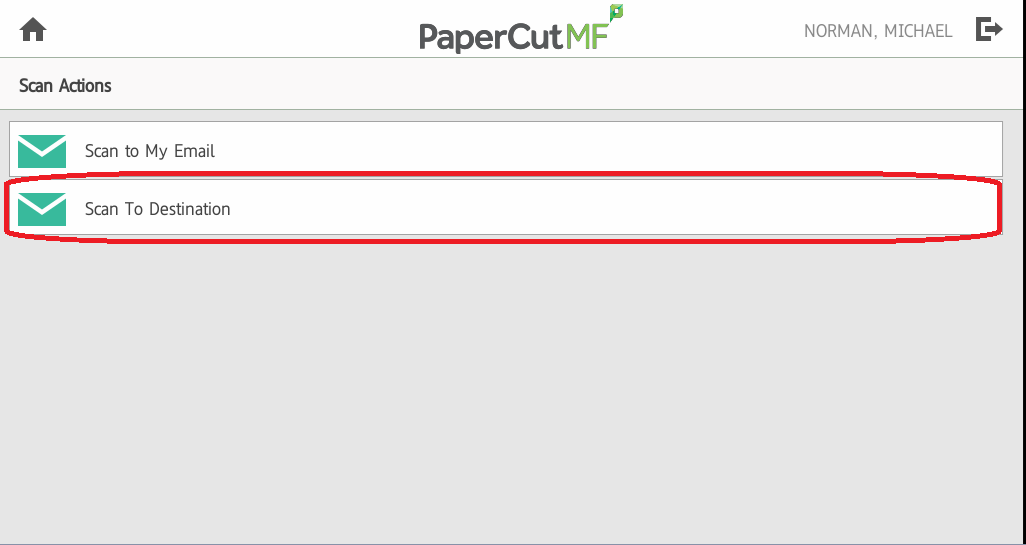
After logging into the Copier, select the Scan Icon, then Scan to Destination. 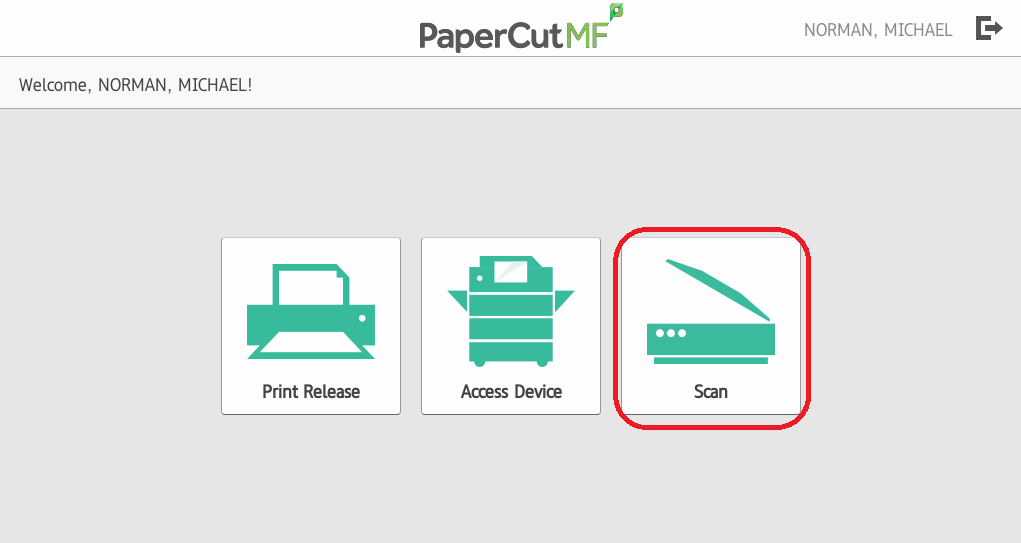
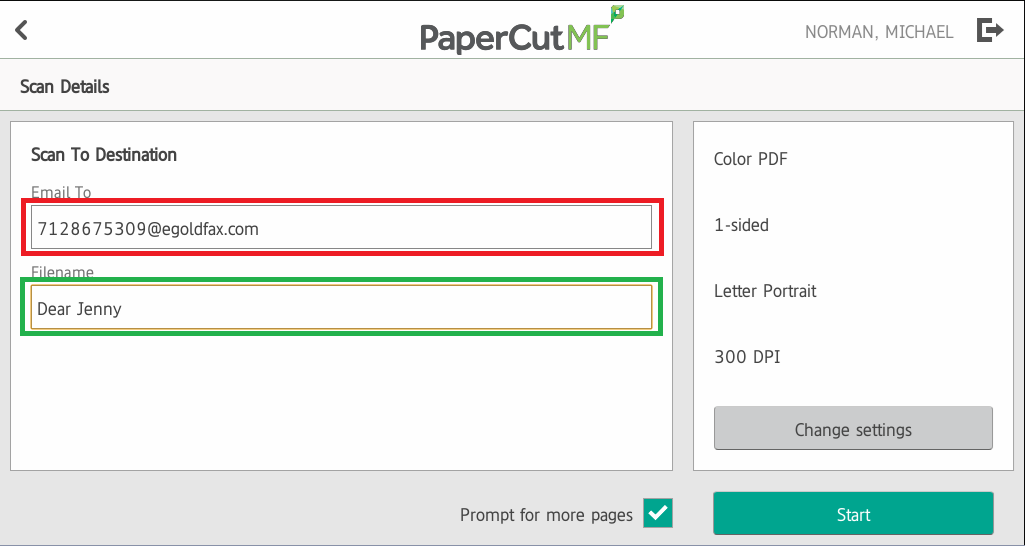
Once you arrive at the Scan to Destination screen, you can input your destination as <FaxNumber>@egoldfax.com, and change the Filename/Subject as needed. Click Start, and your fax is on the way!
You can also send faxes directly from your email. If you receive a digital file, or if you scan the document to yourself, just forward/send the email to <FaxNumber>@egoldfax.com and you're finished!